

Core Web Vitals are becoming mandatory for user experience and ranking signals, according to Google. It directly affects user engagement and conversion rates. It has three major metrics that rely on quick content loads, interaction, and visual stability as users navigate.
Here in this Article, you will learn the basics and general information about “Core Web Vitals”.
These three metrics are!
LCP – Largest Content Paint
INP – Interaction to Next Paint
CLS – Cumulative Layout Shift
What Are Core Web Vitals? Google’s Page Experience Metrics
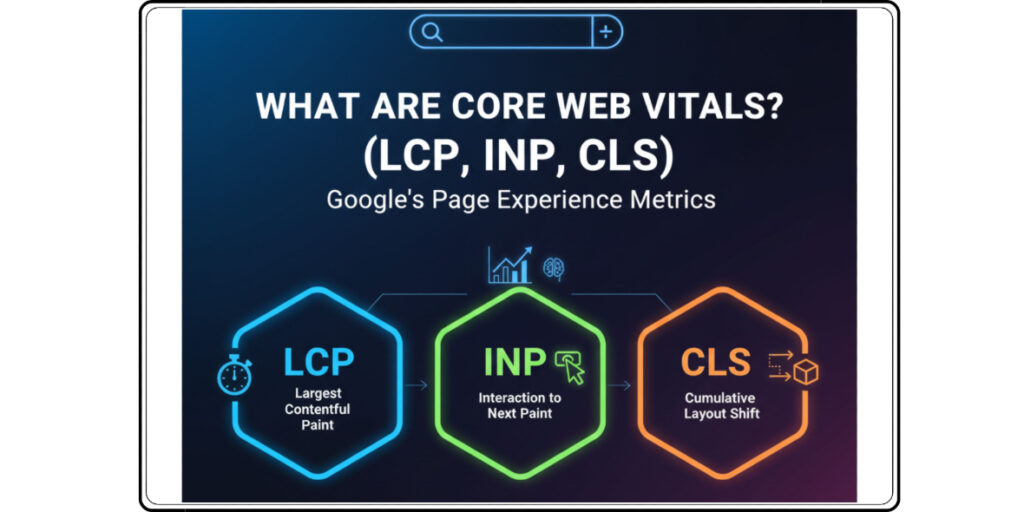
Core web vitals are specially designed to measure performance metrics with the real-world page experience. It has three major matrices (LCP, INP, CLS), and all the hassle goes around it.
All three reflect a combined key factor about UX signals and performance metrics. It helps us to determine websites delivering fast, stable, and user-friendly experiences. It becomes necessary as well as important for every website owner to ensure a clean and steady search appearance.
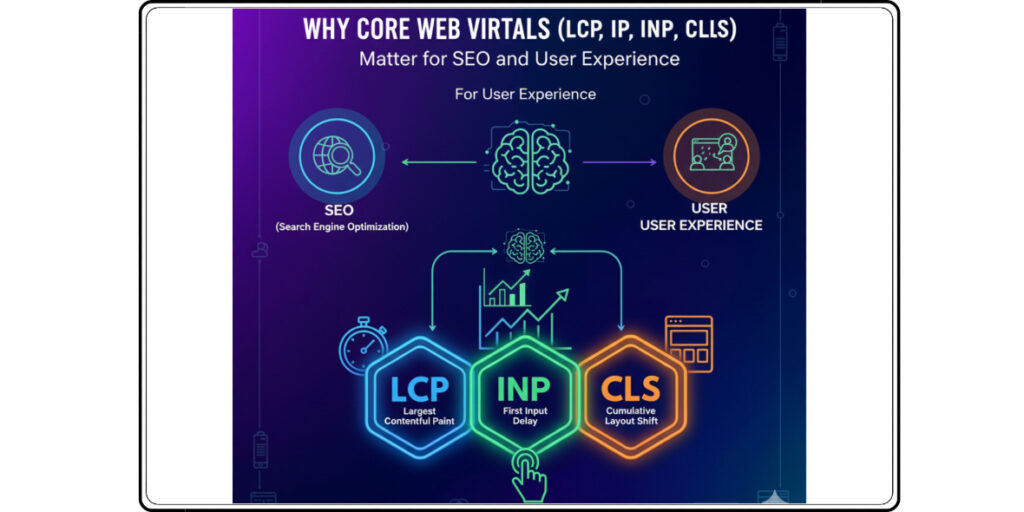
Why Core Web Vitals Matter for SEO and User Experience
Core web vitals are not easy to optimize; it is a complex and crucial task. As these metrics hurt directly to your search engine appearance and overall page experience. Google’s search engine primarily focuses on those websites that are fast loading, have smooth interactivity, and robust visual layouts.
When we optimize LCP, INP, and CLS, our website becomes more aligned, and Google’s UX-driven standards give it better visibility. Also, fix other factors like strong keyword positioning to make consistent organic traffic growth. But when websites fail to meet these benchmarks, they often fall behind their competitors who are investing attention in the technical aspects.
From a user experience perspective, a strong core web vital signal creates a smoother journey for every user. When sites have a faster loading time, it reduces frustrations. When you improve responsiveness, it encourages users to interact more and more. When you optimize stable layouts, it prevents accidental clicks and interruptions.
These enhancements significantly give you lower bounce rates, boost engagement, and increase conversions across all devices. When you satisfy users’ expectations, a seamless experience, sites receive retaining audiences and an increase in site performance.
Largest Contentful Paint (LCP): How to Improve Loading Speed Effectively
Large Content Paint (LCP). It measures how quickly the largest element (Content) becomes visible to users. It directly reflects the loading experience and helps search engines to evaluate page speed.
What causes the most effect: oversized images, heavy render blocking CSS or JavaScript files, unoptimized servers, and third-party scripts that delay fast loading. Generally, whenever primary content takes time to appear, the user feels the site is slow and is likely to abandon it.
- Slow server response
- Render-blocking CSS/JS
- Large hero images
- Heavy third-party scripts
It exactly requires a combination of technical enhancements that focus on speed and efficiency. Also, compressing images into WebP, optimizing hosting, or using a CDN can help to reduce loading time significantly.
- Compress & Resize Images
- Use Fast Hosting Or CDN
- Minify CSS and remove unused scripts
- Use Lazy-loading, Non-critical Media
- Preload Key Resources
I advise removing unused codes, deferring non-critical scripts, preloading key resources, as well as implementing a caching strategy for faster rendering. It pays you back, it enhances user satisfaction, and it strengthens a website’s search performance with user engagement.
How LCP Affects:
The homepage hero image takes 5 or more seconds to load. And users see only a blank screen, they leave before reading the content. We needed to compress the image and using a CDN can reduce LCP to under 2.5 seconds.
INP: Input Delay, Processing Time, and Presentation Delay
Interaction To Next Paint (INP) measures how the web page’s overall responsiveness to user interactions. It majorly tracks the latency of all qualified user interactions like Clicks, Taps, and Keypresses throughout the lifespan of any page visit.
In simple words, the final INP value is the longest interaction latency, which is observed, excluding outliers. Latency is the time between when the user initiates an action and when the browser paints the next visual frame on the screen. INP has replaced “First Input Delay” as a primary responsiveness metric. INP offers an advanced picture of user experience, not only the initial load phase.
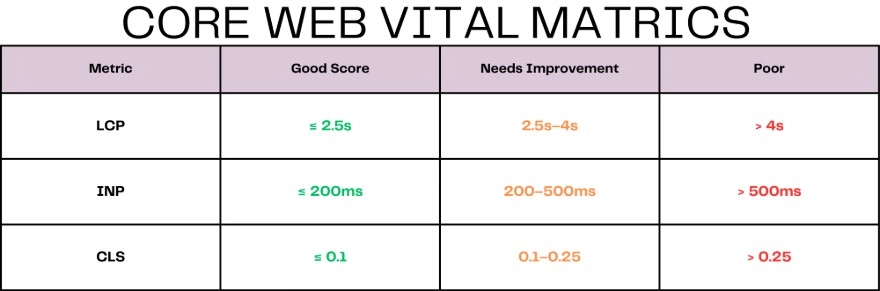
Following Metrics:
Good: 200 milliseconds
Poor: 500 milliseconds
A high INP score indicates that the main thread is blocked, like long-running JavaScript. This course of delaying visual feedback creates frustration as well. It is essential to optimize INP to improve the unresponsive experience and improve search ranking.
How INP Affects:
A user clicks the “contact us” Page button, but the page responds after 1-2 seconds because of heavy JavaScript. This creates a poor INP score.
Cumulative Layout Shift (CLS): Fixing Visual Stability and Layout Shifts
It measures unexpected layout shifts. Layout shifts are caused by unstable elements, such as ads, images without dimensions, or dynamic content. Always ensure, to define the width and height attributes, and reserve space for components. Better visual stability creates a smooth browsing experience and builds trust in the user.
CLS measures unexpected movements of page elements.
- Width/height attributes.
- Popups are loading late.
- Ads shifting layout.
- Dynamic content injected above-the-fold.
Improve CLS by:
- Adding dimension attributes to images.
- Reserving space for ads, embeds, and iframes.
- Avoiding layout shifts with CSS aspect-ratio.
- Prefetching fonts.
How CLS Affects:
A banner ad suddenly appears above a button, causing the button to move and users click the wrong element. This makes users frustrated.
Avoid Common Mistakes – C.W.V
- Uploading uncompressed images
- Using too many third-party scripts
- Not specifying image dimensions
- Excessive JavaScript execution
- Slow shared hosting
- Loading ads without reserved space
Core Web Vitals and AI Search Engine Visibility
There is no confirmation that core web vitals are a direct ranking factor for ai answers. But we know fast and accessible websites help search engines and AI systems crawl, grasp the content more efficiently. Likely, the websites that deliver a strong user experience are more likely to maintain visibility on traditional search engines as well as AI search engines.
Google Search Relations
Google’s officials, like John Mueller (search advocate) and Danny Sullivan (Public liaison for search) both have addressed many times how technical foundations interact with modern search Systems.
Google itself stated that Ai driven search features rely on google’s core ranking systems.
Google already documented on “Helpful Content” that heavily weighted user experience, layout, and speed. It is the baseline for their algorithms training to find out trustworthy resources for AI citations.
Final Checklist: Ensuring Your Site Passes All Core Web Vitals Metrics
We need to ensure each aspect before publishing websites. Check and verify each element of the site to meet Google’s performance benchmarks.
- Check for fast LCP under 2.5 seconds
- Responsive FID under 100ms
- Visual stability with CLS below 0.1
Regular and thorough website audits, technical roundup, and continuous monitoring are mandatory for top-notch performance.
To Pass:
- LCP under 2.5 seconds
- 200 milliseconds
- CLS below 0.1
Tools to Measure Core Web Vitals and Diagnose Performance Problems
Best tools to measure your website’s “Core Web Vitals” are Google PageSpeed Insights, Lighthouse, Google Search Console, and Chrome UX report etc. These tools generally provide labs and field data as well, also they highlight bottlenecks with actionable insights.
For continuous performance success, ensure regular monitoring to detect drops and maintain site health.
Monitor with PageSpeed Insights Weekly.
Fix red/amber URLs in Google Search Console.
Audit Code bloats every 1,2 months.
Best tools to measure Core Web Vitals
- PageSpeed Insights
- Google Search Console
- Lighthouse
- Chrome UX Report (CrUX)
- WebPageTest
Frequently Asked Questions
1. What is Core Web Vitals SEO?
Core web vitals seo, this refers to optimizing a website for loading speed, responsiveness and visual stability to improve better user experience. This helps to maintain google’s page experience standards. It will support better search visibility and user engagement.
2. What is Core Web Vitals NPM?
This is a JavaScript library that helps developers to measure and report core web vitals metrics, LCP, INP and CLS directly from real time users. You can identify performance issues and monitor website experience.
3. How can I run a Core Web Vitals test?
Use tools like Google PageSpeed Insights, Lighthouse, Google Search Console, Chrome User Experience Report (CrUX).
4. Does Core Web Vitals affect rankings in 2026?
Absolutely, core web vitals remain Google’s fundamental Page Experience Signals in 2026. Primarily, websites that provide a faster, more responsive and stable user experience can gain competitive advantages in search results.
5. WordPress Plugins Can Improve Core Web Vitals
This is true, Performance optimization plugins can help improve core web vitals. This can enable caching, image compression, lazy loading, code minification, and database optimization. Be assured, plugins should be combined with the quality hosting, themes, and proper technical seo practices.